

Phone Number Setup
Your AI receptionist needs a dedicated phone number to receive calls. Welco makes it easy to purchase a new number directly through our platform, with instant activation and no additional provider setup required.What You’ll Get: A professional business phone number that immediately connects to your AI receptionist, ready to handle calls within minutes of purchase.
Before You Start
Requirements
- Active Welco account (free trial or paid subscription)
- Payment method added to your account
- Decision on preferred area code/location for your number
Pricing Information
- Phone numbers are billed monthly as part of your subscription
- No setup fees or activation charges
- Unlimited incoming calls included
- Additional usage charges may apply for high-volume accounts
Step 1: Access Phone Number Purchase
For New Accounts
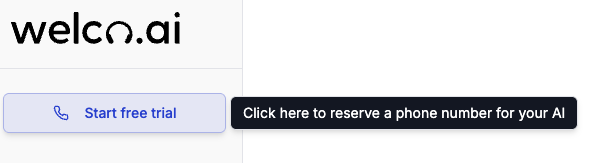
- After completing signup, you’ll see the dashboard welcome screen
- Look for the “Start free trial” button or card
- Click “Start free trial” to start the selection process
For Existing Accounts
- Log into your Welco dashboard at
https://app.welco.ai - Navigate to Phone Numbers in the left sidebar
- Click the “Purchase New Number” button
- You’ll be taken to the number selection interface
Account Status: You must have an active subscription or free trial to purchase phone numbers. If prompted, complete your subscription setup first.
Step 2: Choose Your Phone Number Location
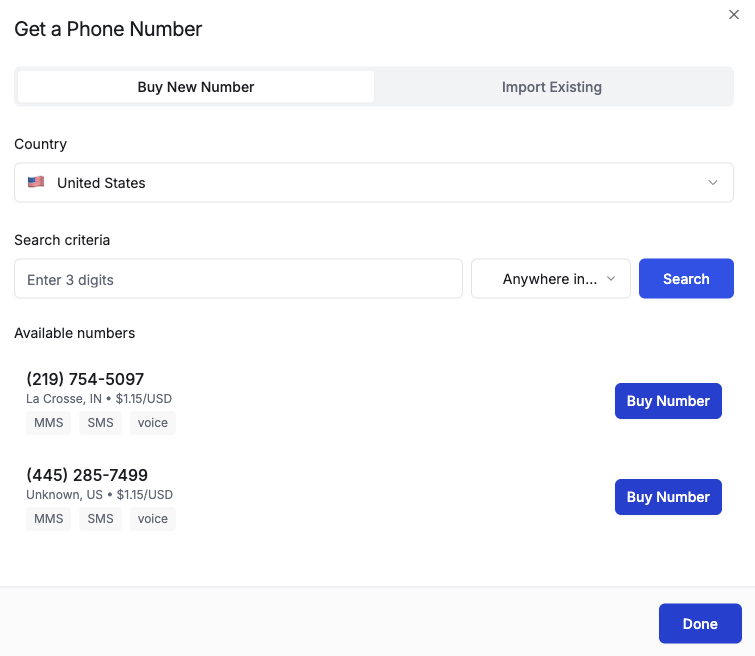
Select Your Preferred Area
- You’ll see a location selection interface
- Choose Country: Select your country from the dropdown (if international options are available)
- Select State/Province: Choose your state or region
- Pick Area Code: Select your preferred area code from available options
Area Code Considerations
- Local Presence: Choose an area code where your customers are located
- Toll-Free Options: Look for 800, 888, 877, 866, 855, 844, 833 numbers if available
- Availability: Some popular area codes may have limited number availability
Step 3: Select Your Specific Number
Browse Available Numbers
- After selecting your area code, you’ll see a list of available phone numbers
- Numbers are displayed in an easy-to-read format:
(555) 123-4567 - Browse the options
Number Selection Tips
- Look for easy-to-remember patterns (repeated digits, sequences)
- Avoid numbers that might be hard to say over the phone
- Consider if the number spells anything relevant to your business
- Check that you’re comfortable with the specific digits
Choose Your Number
- Click on your preferred number to select it
- The number will be highlighted to show your selection
- You’ll see a preview of your choice with confirmation details
Number Reservation: Your selected number is temporarily held for 10 minutes while you complete the purchase process.
Step 4: Verify Your Number is Active
Immediate Activation
After purchase, your number should be active within 2-3 minutes:- Check your dashboard - your new number should appear in the Phone Numbers section
- Look for the green “Active” status next to your number
- Test the connection by calling your new number from another phone
- Verify your AI answers using your configured greeting
Test Your New Number
- Call your new number from your personal or another business phone
- Listen for your AI receptionist to answer with the configured greeting
- Have a brief conversation to ensure everything works properly
- Check your dashboard to see the test call logged in your call history
Expected Response Time: Your AI should answer within 2-3 rings. If there’s no answer after 6 rings, check your account status or contact support.